Meet the Upgraded Euka Learning Experience | 41

Listen to this episode on

Apple Podcasts

Watch this episode on

YouTube

Listen to this episode on

Spotify

About this episode

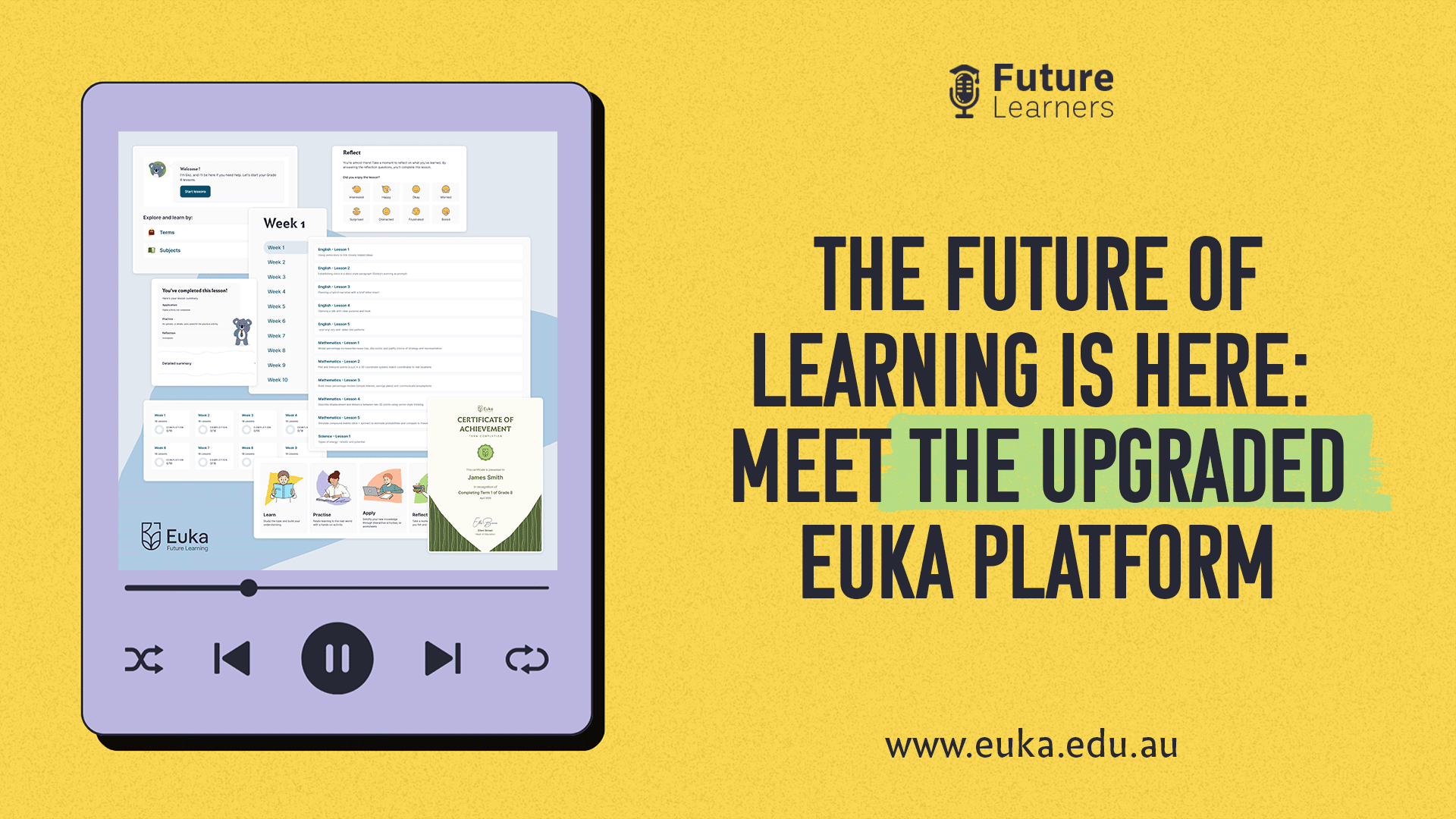
Eighteen months in the making and shaped by feedback from thousands of families, the brand-new Euka Learning Experience is here. In this episode of the Future Learners podcast, Brett Campbell (CEO and co-founder of Euka) and Ellen Brown (Founder and Head of Education) take you through a screen-share walkthrough of what’s changed and why it matters for your family.

From age-appropriate visual design across Primary, Secondary, and Senior cohorts to the new four-part lesson structure (Learn, Practice, Apply, Reflect), in-built textbooks for Grades 7–12, and a redesigned parent portal with proper progress reporting — this is a platform built around how children actually learn, not how systems prefer to deliver content. If you’re already a Euka family, listen for the migration path. If you’re considering homeschooling in Australia, this is the clearest look yet at what your week could feel like.

Key Points:

What’s new at a glance:

  • A new look for each stage — Primary, Secondary, and Senior get age-appropriate visuals (no koala mascots staring down 17-year-olds)
  • Two ways to navigate the curriculum: by Term and Week, or by Subject. Whichever fits your child’s rhythm
  • Euka’s four-part lesson structure: Learn, Practice, Apply, Reflect

Designed for how children really learn:

  • The Practice activity gets hands-on (think Play-Doh fractions, plant life-cycle dioramas)
  • The Apply section gives instant feedback, no more sitting down at 6 pm trying to remember a 10 am lesson
  • Reflect prompts let kids think about how they learn, not just what they learned

Built-in textbooks (Grades 7–12, brand new):

  • Modular short chapters mapped to specific lessons
  • No need to buy outside textbooks for the curriculum

Reporting upgrades:

  • Every family now gets baseline progress tracking and downloadable certificates
  • Parent portal shows lesson completion, grade reports, and (for Grades 11–12) assessment marks
  • Premium Reporting is available for families needing government-compliant documentation

Migration for existing families:

  • Wait until the end of your current term, then reach out to the Customer Support team
  • Email updates will guide you through the move

Euka’s Upgraded Learning Experience: A platform that actually fits the child

When Brett opens the walkthrough, the first thing he points out is something subtle but deliberate: the Euka program now looks different depending on the student’s stage.

A Grade 3 student logs in and sees Echo — Euka’s koala mascot — front and centre, alongside a soft, warm colour palette.

Move into Secondary, and Echo’s still around but less prominent. He’s grown up a bit.

By Senior years, the koala is gone entirely, replaced by a more grown-up interface that respects where 15-, 16- and 17-year-olds are at.

It’s a small thing visually, but it speaks to a deeper design decision: meet the student where they are. Age-appropriateness isn’t just about content — it’s about how the whole experience feels.

How can families navigate the new curriculum?

One of the most-requested features from existing Euka families finally lands here. The curriculum is now navigable in two ways:

By Term and Week — the structured path. Click into Term 1, see your weeks, click into Week 1, see the lessons. Predictable, organised, calendar-friendly.

By Subject — for the child who’s deeply engaged in English (or Maths, or Science, or anything else) and just wants to dive in without weekly distractions. Click English, see all the English lessons, work through them at your own pace.

Both paths lead to the same content. The flexibility sits in the navigation — and that’s exactly what families have been asking for.

The new four-part lesson structure

This is the change Ellen is most excited about, because it reflects what the team has learned about how children retain knowledge.

Learn is the core content — the equivalent of a teacher introducing a topic. Read, watch, take it in.

Practice is hands-on. Building a Play-Doh pizza to represent fractions, constructing a diorama for plant life cycles, and making a comic strip.

The point is to use the new knowledge in a way that gets it out of the head and into the hands.

Apply is where instant feedback comes in. Multiple choice, fill-in-the-blank, drag-and-drop — different question types for different lessons.

Crucially, it’s framed as checking your understanding, not as a test. Children can get hints, check their answers, and try again. No anxiety, just learning.
Reflect is the bit that most curricula skip entirely. Instead of asking “Did you like the lesson?”, we ask children how they felt learning it, what worked for them, and whether they feel confident with the material.

And here’s the practical bit: every child is different. If your child gets the most out of Practice and doesn’t need Apply, that’s fine — every section is flexible.

You can complete the lesson without having done every component. The system fits the child, not the other way around.

This is a unique opportunity for students to think about how they learn, not just what they learn. — Ellen Brown

What’s included in the new in-built textbooks for Grades 7–12?

This is genuinely new. For the first time, every Euka student in Grades 7 through 12 has access to in-built textbooks woven directly into their lessons.

These aren’t 300-page tomes you have to wade through. They’re short, modular chapters mapped to specific lessons.

Looking at global biomes? The textbook section for that lesson is right there, broken into focused sub-sections.

The practical benefit: families don’t have to buy external textbooks for the Australian Curriculum-aligned lessons Euka delivers. The deeper benefit: children who are passionate about a subject can dive deeper through the textbook, while children who don’t connect with reading-heavy learning can complete the lesson via Learn, Practice and Apply alone. Same outcome, different paths.

A reporting dashboard parents can actually use

Reporting has been one of the harder parts of homeschooling — both for parents trying to track progress against the Australian Curriculum and for families navigating state-by-state government requirements.

Every family now gets a baseline reporting tier included in the standard Euka program:

  • Lesson completion progress (visible in real time)
  • Downloadable certificates per term
  • Grade reports across subjects
  • Parent feedback fields, so observations are captured alongside the data

For families who need formal documentation, Premium Reporting layers government-compliant reports, work-sample integration, and achievement-standard mapping on top.

There’s also an unexpected benefit Ellen highlights. The Premium Reporting becomes a keepsake: pictures of work, milestones, the whole year captured in one place. When grandma asks “what did you do in Grade 4?”, you’ve got the answer ready.

“I’ve homeschooled my own kids for many years, and that niggling ‘am I doing enough?’ feeling is real. Reporting answers that question — not by comparing your child to others, but by showing how they’re going with the content itself. That’s peace of mind.” — Ellen Brown

Why the Reflect section matters more than you’d think

We almost glossed over this in the walkthrough, but it deserves its own beat. Metacognition — thinking about how you learn — is a focus of work by the Australian Education Research Organisation, and the Reflect section is how Euka brings that practice into every lesson. It also feeds into Euka’s Personalised Learning Plan (PLP) for families who use it.

The data gathered through reflection helps spot patterns. A child consistently flagging boredom in maths lessons might be ready to advance Grade 4 student finding Grade 4 maths too easy, could move into Grade 5 or Grade 6 content. A child flagging difficulty in a particular subject area gets surfaced early, before it becomes a confidence issue.

This isn’t about labelling kids. It’s about giving parents and the Euka team a clearer picture of what each individual child needs, beyond what a one-size-fits-all curriculum can offer.

What do existing Euka families need to do to migrate?

If you’re already learning on the original Euka platform, here’s what to do:

  1. Don’t switch mid-term. Finish your current term on the existing platform.
  2. At the end of term, reach out to the Customer Support team. They’ll guide you through the migration.
  3. Watch for emails. Euka has been sending detailed migration updates — check your inbox.

If you’re new to Euka, you’ll start directly on the new Learning Experience.

Key Insights for Families

Flexibility is built in, not bolted on. Whether it’s choosing term-by-term or subject-by-subject navigation, completing only the lesson sections that suit your child, or pacing through textbooks at the depth that matches their interest — the platform respects that no two children learn the same way.

Reflection is a learning skill in itself. Asking children to think about how they learned, not just what, builds a meta-cognitive habit that pays off for life. It’s also how parents catch boredom, confusion, or readiness for harder content before it shows up as frustration.

Reporting belongs to the family. Whether you need it for government compliance, peace of mind, or as a keepsake of the year, the new dashboard puts your child’s progress in your hands — without requiring you to be a project manager on top of being a parent.

The platform fits the child, not the other way around. Brett and Ellen come back to this point repeatedly. Every section of every lesson is optional.

Every navigation path leads to the same outcome. The structure is there as a scaffold, not a cage.

“It’s really important to us at Euka that the lesson is fitting the child rather than the other way round.”
— Brett Campbell

Your Family, Your Journey

What we’ve shared here is the first cat out of the bag — but it’s not the last. The Euka team has more coming, and they want your feedback on what’s working as you use the new Learning Experience. Click the support function inside the platform to share ideas; some of Euka’s best features have come straight from family suggestions.

If you’re an existing Euka family: thank you for trusting us through this evolution. Your patience, your feedback, your willingness to learn alongside us — it shapes everything we build.

If you’re considering homeschooling with Euka for the first time: this is the clearest look yet at the platform you’d be working with.

Take your time. Listen to other episodes of the Future Learners podcast to hear from families who’ve made the switch. And when you’re ready, we’re here.

Transcript

Episode Transcript

Brett: Hello and welcome to another episode of Future Learners. I’m your host, Brett Campbell, CEO and co-founder of Euka, and I’m joined by the one and only — the amazing founder and Head of Education of Euka, Ellen Brown. Today is an exciting episode for us, because we’re going to do a couple of things we haven’t done before. Firstly, we’re going to do a screen share. So if you’re listening on Apple Podcasts or Spotify, you can absolutely keep listening — we’ll explain everything as we go. But if you want the visual representation, head over to our YouTube channel.

Brett: What we’re going to share today is something we’ve been working on for the last 18 months. Hundreds of people have been involved. It’s been quite a feat. And today we’re absolutely excited to share our brand-new Learning Experience — what we’ve been building for our students and families.

Ellen: I’m really excited because I love the opportunity to share what we’ve been working on, but also to help parents know how to best use it and adapt it for their child to get the most out of it.

Brett: Ten out of ten?

Ellen: Ten out of ten. Of course. We’ve put our blood, sweat and tears into it.

Brett: This is exciting for a number of reasons. If you’ve been a Euka family — and many have been with us for many, many years — you’ll see the evolution. From the outset we’ve always said we want to build the future of education and support as many families as we possibly can. With technology and big commitments from our side, we believe this is going to elevate the experience across the board. Eighteen months in the making, but really, ten or fifteen years in the making.

Age-appropriate visual design

Brett: So as you’ll see, here you are now — the view if you’re a student, or a parent with a student, who’s logged into the learning platform. One key difference: we’ve identified that primary school, secondary school, and senior school are different cohorts. Not just from a grade level perspective, but an age-appropriateness level.

Brett: What we’ve got now — and something we’re really excited about — is providing a visual experience that’s age-appropriate. Looking here at a Grade 3 student: we’ve got our little mascot Echo nice and prominent, soft colour palette. Move into Secondary and Echo’s not as prominent. He’s a little bit cooler, grown up a bit. Then we move into our Senior grades — I don’t know too many 15, 16 or 17-year-olds who want to have a big koala sitting on their screen. So we’ve removed that as the grade appropriateness changes.

Two ways to navigate: terms or subjects

Brett: One key thing — when we built this program, we went into it with the intention of making sure it’s as intuitive and as simple as possible. We don’t want to overcomplicate things. So we’ve kept the best of what we had originally and morphed it into what we’d call the future of learning here.

Brett: You’ve got a couple of different ways to explore. You can explore and learn by terms, or you can explore and learn by subjects. If you click into terms, it shows you our four terms. Click into a term and you see the weeks. Click into Week 1 and you see the lessons for that week. Or — quick home button — you can explore by subjects. Click into English and see what the English lessons per week are. If you’ve got a child who’s engrossed in English and wants to move forward without being distracted by other subjects, you can come through this view as well.

Ellen: That’s something parents have asked for before. We packaged it in terms and weeks — most people like that — but parents have said, “Can I please get a whole subject to be able to do once with my particular child?” So it’s exciting that parents now have that choice.

Reporting, certificates, and progress at a glance

Brett: Another really exciting thing is our reporting function. We have two stages now. Base reporting is added to our program — every family gets that at a high level. And we have government reporting, which is a separate thing we may talk about later. Each lesson, as you progress, shows what’s been accomplished and what’s still to go.

Brett: Coming back to the main dashboard — you’ll see progress in the top right showing how many lessons are completed. As your child progresses, they’ll get certificates they can download. Another great way to share achievement.

Brett: We also have a materials list — the essentials you’ll need, the practical activity items, and any books associated with the curriculum.

Ellen: Don’t feel that you have to buy every book. You can find audiobooks online, YouTube has lots of read-alouds. Don’t get hung up on it, especially in the younger grades where you have picture books. There are wonderful read-alouds on YouTube. And the library, of course.

The new lesson structure: Learn, Practice, Apply, Reflect

Brett: Let’s click Start Lessons. We’re starting Term 1, Week 1. Maths lesson two. As you go through this for the first time you’ll be prompted, and I think this is a really good spot to talk about our new lesson structure and why we’ve designed it this way.

Ellen: What we’ve tried to do is run people through a progression of learning. Sometimes you’ll learn something and that’ll be the end of a lesson. But that’s not the end of learning. Often, as you know, if you’ve read or listened to something and you don’t actually use it, it can be lost very easily.

Ellen: So we have a Practice activity that comes after the bulk of the learning — a chance to actually get hands-on. Not everybody loves hands-on learning, and if your child doesn’t, you can move past it. That’s one of the things I really want parents to know — they’re not in a situation where every single thing needs to be done. It’s about adapting this for your child.

Ellen: The Apply activity is really exciting for parents because it gives an opportunity to know that their student is getting instant feedback. You’re not sitting down at the end of the day with an answer sheet trying to remember what they did at 10am that morning. They need instant feedback. That’s the Apply section.

Ellen: And finally, the Reflect section — the opportunity for the child to think about their own learning. Not just what they learned but how they learned, how they were feeling when they learned. That’s really important for parents, because sometimes — especially in those teenage years — kids don’t always verbalise how they’re feeling. You want to know: are they confident? Are they confused?

What a lesson actually looks like

Brett: Here we have the introduction for every single lesson, with the learning objectives. It’s very important when someone’s on a quest to learn something — what am I actually learning here? And then a question I always had at school and still have today: why did I have to do algebra? So we share with our students why this lesson matters and provide context.

Brett: Then we move into the Learn section. Then the Practice activity — these are a wide range of different activities. In this Grade 3 maths lesson on representing halves, thirds and quarters, the practical activity is to build a Play-Doh pizza and cut it into fractions. Some lessons might have a comic strip. Stages of plant life cycles? You might build a diorama. There are lots of options based on the actual lesson.

Brett: Then we move into the Apply section — applying that knowledge. We have the online component with digital questions. Multiple choice, fill in the sentence, drag and drop. As you progress through the grades there are more questions — it grows as you grow. And something we hold true at Euka: while we are an educational technology platform, we don’t want a child or family glued to a screen. So you have an activity sheet you can download and print. Take it off to the park, spend a day in the mountains, finish it on paper. Then upload it for safekeeping — and if you take advantage of our Premium Reporting, this work can go towards bolstering reports for the government.

Ellen: Just on the Apply: it’s really important the way you frame this with your child. This is not a test. This is an opportunity to check how much they understood or what they might still need to understand. They can get a hint, check their answer, try again. It’s about exploring their learning rather than thinking it’s a test. Because that’s where anxiety creeps in — and that’s not what learning’s about.

Secondary and senior: more subjects, more depth

Brett: Let’s take a deep dive into Secondary. There are more subjects, especially in Grade 9 and 10 with electives. We have over 100 unique courses across 32 different subject options — child studies, carpentry, dance, drama, marine technology, photography, Spanish, textiles, visual arts. We’ll continue to build these out over time. We don’t want to be running with information dated 20 or 30 years ago. We want to be at the precipice of providing an up-to-date education.

Ellen: A note on terms — when you go into terms and weeks and press on a week, you might notice five maths and five English lessons. That’s because most families find it helpful to do maths and English each day. Other subjects have one lesson per week, but that’s because we put the practical, the hands-on and the apply all into a lesson. Whereas in school, you might have three or four lessons a week of science with a lecture portion and a prac portion split. Ours is all in a block.

Ellen: And the reason we haven’t said “this is Monday and this is Tuesday” is because flexibility is very important for homeschoolers. You might decide to do maths and English each day plus another subject covering the whole week. Or you might block Monday, Tuesday, Wednesday for everything.

Built-in textbooks for Grades 7–12

Brett: Another thing for Secondary and Senior years — we’ve built textbooks into the system. They’re not 300-page books you’ve got to figure your way through. They’re designed in very short modules and chapters that fit the specific lesson. Looking here at global distribution of major biomes, broken into its own little sections. You don’t have to read the full book to get the full understanding.

Brett: This saves families having to buy textbooks and adds no additional cost to their programs. For the first time, we’ve got textbooks right down from Grade 7 all the way to Grade 12, which we’ve never had before. If your child loves a particular subject, they can do their Learn section and read all that textbook — go deep. If they’re not as passionate, they would still tick all the boxes for what they need to know without the textbook. It’s not a burden. It’s an opportunity.

The Reflect section and Personalised Learning Plans

Brett: Every lesson now has a Reflect section. This isn’t just “did you like the lesson — thumbs up, thumbs down.” This is where we get more insights to provide families on how their student is progressing — or not. Maybe they’re distracted, maybe their environment isn’t right, maybe they’re bored.

Brett: And what this highlights — about 10% of families currently use what we call PLP, our Personalised Learning Plan. By getting feedback from the student, we can identify, for example, that someone’s bored because the work is too easy. They might be flying through Grade 4 maths, nailing everything. That’s a sign they might need Grade 5 or Grade 6 maths. Another way for us to bring insights to the overall learning journey.

Ellen: Learning is a skill. Not only reading something, practising with that knowledge, applying it — but actually thinking about how you learned. What did I do that worked well? Perhaps I love geography but don’t love this. Could I bring what worked into the next thing? Learning how you learn is really important, and it’s missing most of the time when it comes to opportunities to learn. This is a unique opportunity for students to think about how they learn, not just what they learn.

Flexibility, completion, and the parent portal

Ellen: I really want to highlight the flexibility. The sections of the lesson are flexible. If you’ve got a student who’s all about hands-on and they’ve spent time in Practice but they’re not about Apply — or vice versa — you can still hit Complete Lesson at the end. It’s really important to us that the lesson is fitting the child, rather than the other way around.

Brett: Last thing — the parent portal. Every parent gets access to manage their student’s subscription and their reporting. Looking at a Grade 9 student here: you’ll get a dashboard telling you how many lessons they’ve completed, access to certificates per term, electives, grade reports. You can add feedback yourself — we don’t provide feedback on lessons unless you’ve taken up our assessed program. Clear, concise, shows how your child has progressed.

Brett: Another example — a Grade 12 student doing our assessed program. Nine out of nine assignments completed, average mark 69%, downloadable certificates and transcripts, plus a whole heap of other things which is really helpful and useful.

Reporting as peace of mind (and a keepsake)

Ellen: One of the things that can be tricky as a homeschooling parent — and as you know, I’ve homeschooled my own kids for many years — is that niggling feeling: am I doing enough? Is my child doing okay? How do I know if they’re doing okay? Those things are very real. It gets a little tricky when you’re homeschooling and family or extended family don’t understand homeschooling, and they’re saying, “How’s your child doing? How do you know?”

Ellen: Reporting is really helpful to answer that — not by comparing your child with other children. We don’t want to know how your child’s going against others. What we want to know is how they’re going with the content themselves. It gives you peace of mind. The Premium Reporting is helpful for government reporting if you’re sending it in, but it’s also a keepsake. Pictures of your children’s work, all in one place. When grandma comes over, you can pull it off the shelf and say, “Here’s what we did this whole year in Grade 4.” Saves having a box under the bed with 5,000 paintings and worksheets. It’s exciting for what it means to you as a parent — even more than for the government reporting.

Migration for existing families

Brett: That is the first cat out of the bag. We’re sharing what we’ve got. We’ve already got this well underway — many families, thousands of families, have already moved into the new platform. For those of you who have started your learning in the original platform: you can migrate. We’d recommend you wait until the end of your term to do so. If that’s something you’d like to do, just reach out to our customer support team. We’ve also been sending out emails — you’ve probably received one or two already.

Brett: We’re constantly trying to provide the best experience we possibly can. We’d love to hear your feedback. Until then — Ellen, what’s your magical sign-off?

Sign-off

Ellen: I would say enjoy the time you have with the kids. Make sure that homeschooling is always something that is joyful. If your child is having one of those days — and you’re having one of those days — then go off to the park and reach in when you’re ready for it. Just have a great time with it.

Brett: Amazing. Thank you very much. And thank you for tuning in. To our Euka families — thank you for putting your trust in us. We deeply appreciate it. And to those families who are looking to join us — we can’t wait to have you on board. Have an amazing day!

Other episodes

meet-the-upgraded-euka-learning-experience-episode-41

Episode 041

Meet the Upgraded Euka Learning Experience

Episode 040

The World Is Your Classroom: Travel Schooling with The Slow Road

Episode 039

Inside the NSW Homeschooling Audit: What It Means for Families

Episode 038

He earns 30K a year and homeschools

Episode 037

What you need to know about homeschooling in 2025

Episode 036

Is School Going “WOKE”?

Episode 035

The “True” Reasons families homeschool?

Episode 034

What you need to know about Registration and Reporting when Homeschooling

Episode 033

Travel Schooling: Everything you need to know

Episode 032

Raising young boys

Episode 031

Sleep! Are you and your kids getting enough?

Episode 030

Setting your pre-schooler up for success

Episode 029

Should children under 16 be banned from using social media?

Episode 028

Should children learn handwriting in this digital world?

Episode 027

The #1 Skill for children to learn

Episode 026

When should your child do work experience?

Episode 025

How to build a strong family unit

Episode 024

How to retain 90% of everything you learn!

Episode 023

Homeschooling with Dyslexia, ASD, and ADHD: A Mother’s Inspirational Journey

Episode 022

Unlock funding for homeschooling

Episode 021

Moving from School to Homeschooling in term 2

Episode 020

Homeschooling on a budget

Episode 019

The Importance of Raising Risk Takers

Episode 018

Empowering Girls: Building Confidence and Self-Esteem

Episode 017

3 Major Obstacles Parents Face when Homeschooling

Episode 016

The most important skill a child can learn

Episode 015

Cultivating Financial Literacy and Mindful Parenting

Episode 014

Physical and mental health tips for homeschooling families

Episode 013

The ultimate Getting Started guide

Episode 012

Homeschooling mother of 4 shares her journey

Episode 011

Mental Health and how it affects our children

Episode 010

AI, Technology & Navigating the Digital Frontier

Episode 009

Euka Unveils Groundbreaking Year 11 & 12 Program – A Global First in Learning Innovation

Episode 008

The Difference Between Homeschooling and Distance Education

Episode 007

10 Major Reasons Families Are Flocking to Homeschooling

Episode 006

Where to Start When Considering Homeschooling?

Follow Euka on social platforms

Follow our hosts on socials

Brett Campbell, CEO Euka Future Learning

Brett Campbell is a leader in education, serving as the CEO of Euka, an innovative company building the future of education. He’s a successful entrepreneur and author with a passion for lifelong learning. Beyond his professional achievements, Brett is a devoted family man and the host of the Future Learners Podcast, where he shares his ideas about education’s potential to empower people and create a brighter future.

Follow Brett on:

Ellen Brown, Founder Euka Future Learning

Ellen Brown is the founder and driving force behind Euka’s educational philosophy. With over 25 years of teaching experience, she designed Euka’s curriculum for grades 1-12, emphasizing individualized and practical learning. Her expertise is recognized by major media outlets, and she is frequently sought after for her insights on the future of education.